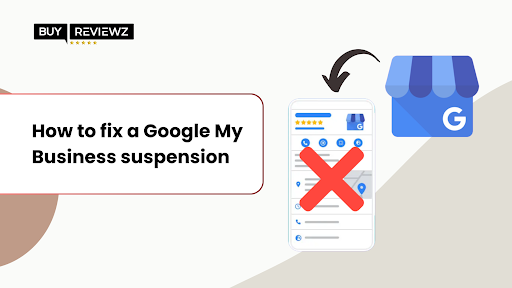
Having your GMB suspended can feel like a major setback, especially when your visibility and local traffic take a hit. One day, you're showing up in search, and the next, you're gone. But don't worry, it’s more common than you think, and most suspensions can be fixed with the right steps.
Whether it’s due to a guideline violation or something as simple as an address mismatch, the key is to stay totally calm and act fast. In this guide, we’ll walk you through exactly how to identify what went wrong, what type of suspension you’re dealing with, and how to request reinstatement successfully.
And once you're back up and running, maintaining strong credibility sometimes with the help of strategies like choosing to buy Google reviews can give your business the boost it needs to rebuild faster.
But before that, let’s see what causes the GBP profile suspension.
Why do GBP Listings Get Suspended?
A suspension on your Google Business Profile (GBP) can feel sudden and confusing, especially if you’re not sure what triggered it. Below are the most common reasons for your suspension, so you can fix the issue and avoid future disruptions;
1. Misleading or Inaccurate Profile Details
Google wants accurate, trustworthy listings. If your business name, phone number, or website doesn’t match your real-world information, it can be flagged. Even minor inconsistencies can be seen as misleading. So, you should always ensure your profile details reflect your official business documentation to avoid unnecessary suspensions and maintain customer trust. If you need to update your business name, following the correct steps to change your name on Google My Business is essential to keep your listing compliant and visible.
2. Multiple Profiles for the Same Business Location
Creating more than one profile for the same physical location can confuse customers and violate Google’s policies. This includes duplicates made accidentally or intentionally. Therefore, stick to a single, verified listing per location and remove any extras. If your business has multiple branches, create individual profiles for each with unique addresses.
3. Violations of Google’s Content Guidelines
Your profile content must align with Google’s user guidelines. That means no offensive language, inappropriate images, or promotions of restricted services. If your content crosses the line, even unintentionally, Google may suspend your profile. So, regularly reviewing and cleaning up your listing helps keep your business visible and in good standing.
4. Keyword Stuffing in Business Name
Adding extra keywords like services, locations, or promotional phrases to your business name might seem like a smart SEO trick, but it goes against Google’s guidelines. Your GBP name should exactly match your registered business name. Keyword stuffing is a major red flag and one of the most common reasons for manual suspension by Google support. Instead, focus on legitimate ways to add keywords to your Google My Business profile like optimizing your business description, services, and posts without risking suspension.
5. Invalid Business Address
Using a virtual office, P.O. box, or shared workspace as your address without proper signage or legitimacy can get your profile suspended. Google needs to confirm that your business physically exists there. If your goal is to gain local visibility, it’s better to invest in review-building strategies from reputable sites rather than risk Google Business Profile suspension.
6. Fake or Bot Reviews
Fake or bot reviews might seem like a shortcut, but Google’s algorithm catches them quickly, and suspensions often follow. Instead of buying random reviews, work with trusted providers like BuyReviewz, who prioritize authenticity and compliance. Genuine, well-placed reviews from real people are not only safer but also more impactful for long-term growth.